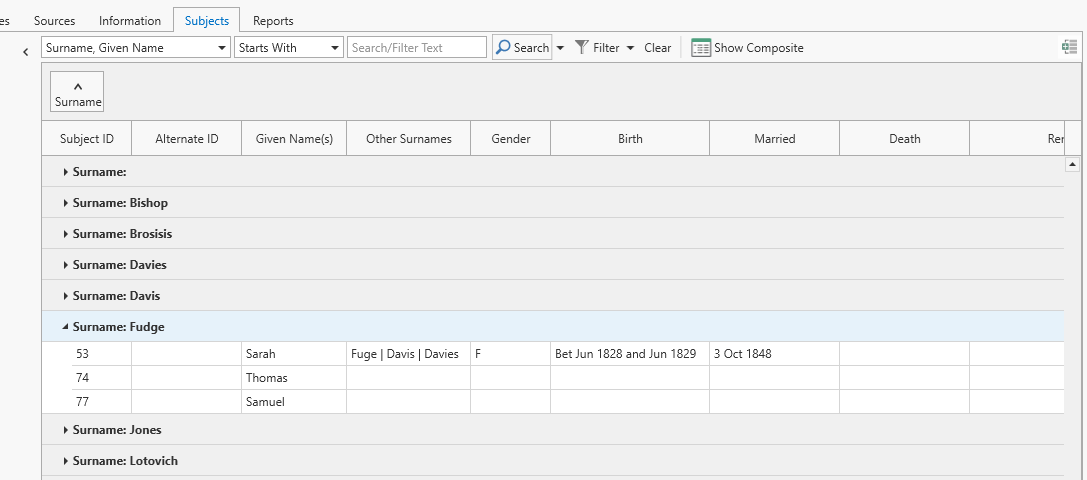
Grouping Records
When the grid format is displayed, a grouping feature is available to group records based on them having the same values in the field(s) you designate. To use this feature the Grouping box needs to be displayed first. Display the Grouping box by clicking on the button on the far right side of the toolbar, or right-click the grid and select Show or Hide Group By Panel (either method will toggle the Group By Panel on / off).
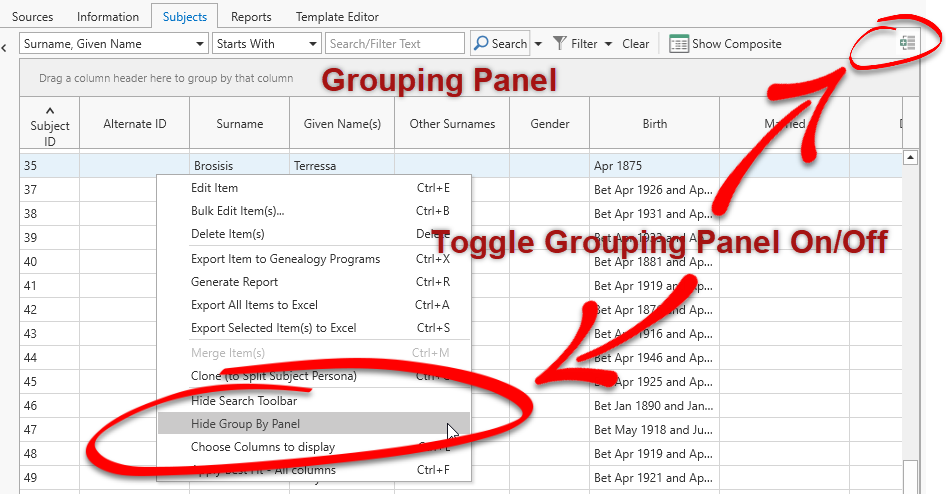
The Group by a particular column, drag the header into the Grouping Panel. You can group by more than one column, but is probably only useful if you have a lot of record with the same values in the secondary columns.